How to Use the Mortgage Calculator in ACCESS by Cashew
ACCESS by Cashew comes with a suite of built-in calculators to help you and your clients make informed decisions: a Mortgage Calculator, Affordability Calculator, Refinance Calculator, Reverse Affordability Calculator, Stamp Duty Calculator, Sell 1 Buy 1 Calculator, Decoupling Calculator, EC Home Loan Calculator, and Home Loan Cashflow Calculator. In this guide, we'll walk you through the Mortgage Calculator, which is built right into the package browsing experience so you can crunch numbers without ever leaving the page.
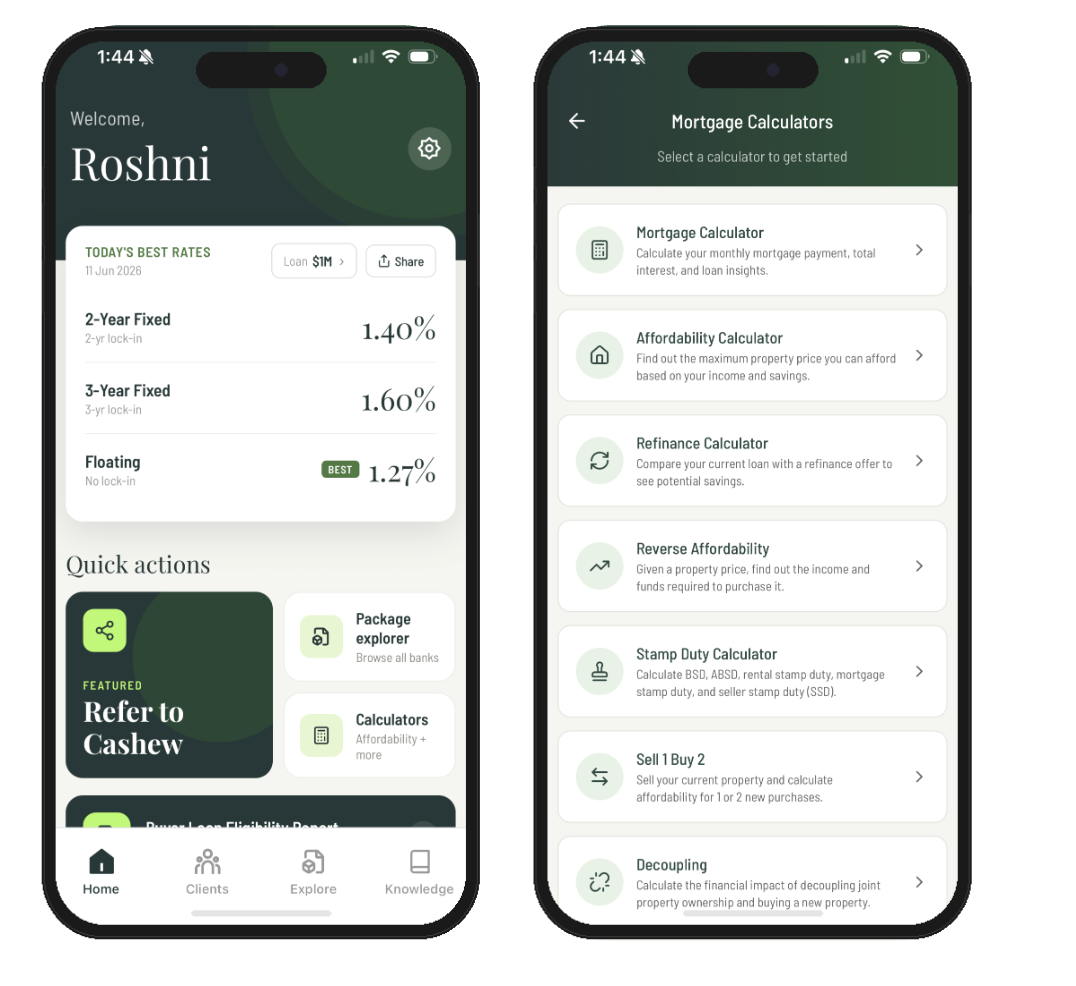
Image 1: Select 'Calculators' on the home screen and select the one you want to use.
Here's a quick look at what each calculator does:
- Mortgage Calculator: Estimates the monthly repayment on any package, along with the total interest and total amount payable over the life of the loan, so you can show clients exactly what to expect from day one. (We'll cover this one in full below.)
- Affordability Calculator: Works out the maximum loan and property price a client can take on based on their income and existing commitments, perfect for setting realistic expectations before the house hunt begins.
- Refinance Calculator: Compares a client's current mortgage against a new rate and shows the monthly and total savings, making it easy to see whether refinancing is worth it.
- Reverse Affordability Calculator: Starts from a target property or loan amount and tells you the gross monthly income a client would need to support it, useful when a client already has a specific home in mind.
- Stamp Duty Calculator: Calculates the Buyer's Stamp Duty (BSD) and Additional Buyer's Stamp Duty (ABSD) payable on a purchase, so there are no surprises on the upfront costs.
- Sell 1 Buy 1 Calculator: For clients selling their current home to buy another, this lays out the sale proceeds, purchase costs, new loan size, and stamp duty side by side so they can see whether the move adds up.
- Decoupling Calculator: Weighs the cost against the benefit of transferring one co-owner's share to the other, a common way to free up one party to purchase a second property without incurring ABSD.
- EC Home Loan Calculator: Tailored to Executive Condominiums bought under construction, this maps out the progressive payments and how the loan disburses in stages as the project is built.
- Home Loan Cashflow Calculator: Shows the full cashflow picture for a loan, breaking down how much is drawn at each stage and what your client needs on hand across the life of the purchase.
 Sarah Chen