Sarah Chen
Finding the right mortgage package for your clients shouldn't be complicated - and earning a high commission on every mortgage locked in shouldn't be either. With ACCESS by Cashew, you can create tailored mortgage proposals in minutes. Here's how.
Start by clicking 'Package Explorer.' Fill in the loan details: select the property type (e.g. private), enter the loan amount, and set any preferences. For example, if you only want to see fixed rates, you can specify that while leaving other preferences like the specific rate or lock-in period open. Then click 'Show Recommended Packages.'
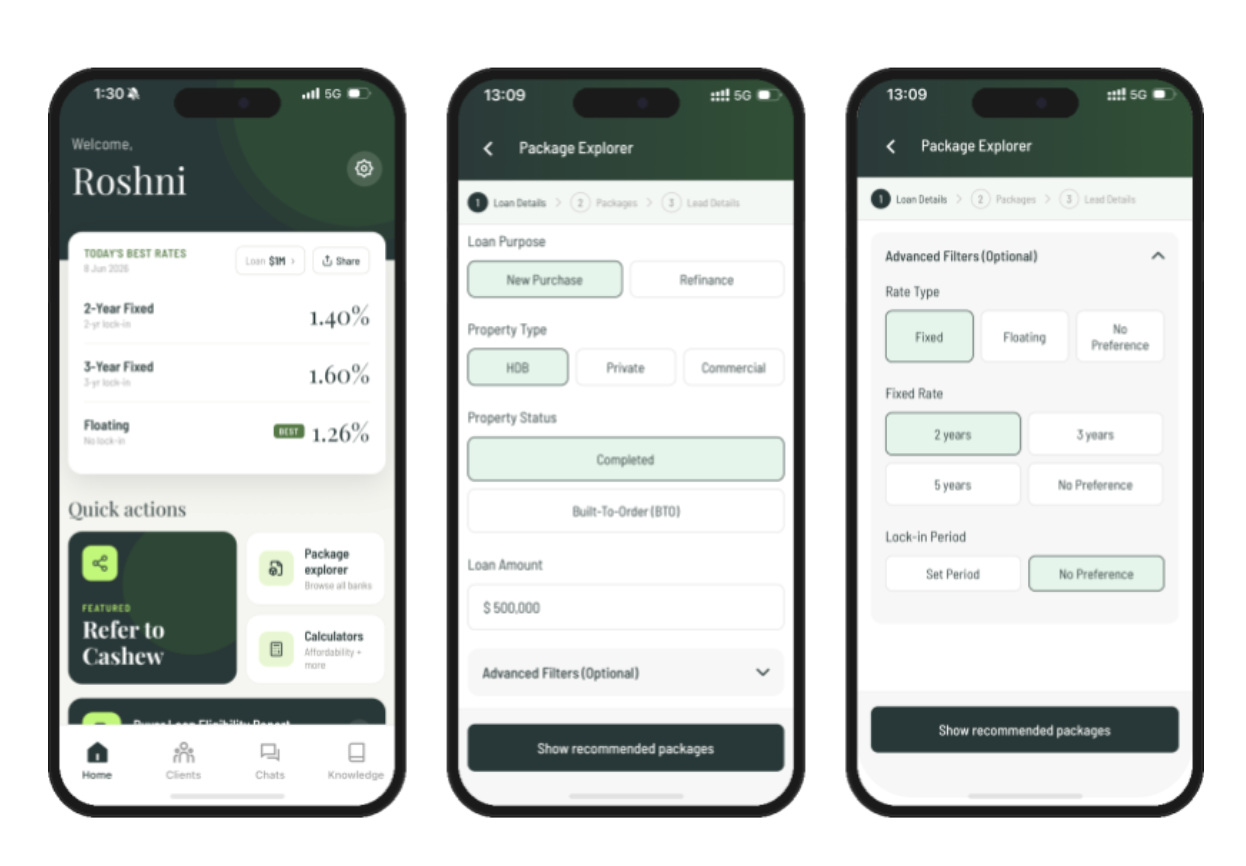
**Image 1: **Select ‘Package Explorer’, and enter the loan details and specifications in order to view the recommended packages.
You'll see all available packages listed in ascending order. Click into any option - e.g. a two-year fixed package - and you'll immediately see the rates, fees, and special terms such as redemption terms for early repayment or waivers due to sale.
You also have a few handy tools at your disposal: view the factsheet for a deeper look at the loan terms, get instant answers through the AI-powered chatbot, or use the mortgage calculator to estimate your client's monthly payments.
If a package looks like a good fit, go ahead and select it. You can repeat this for multiple options to include in your proposal. Once you've made your selections, click 'Save Proposal'.
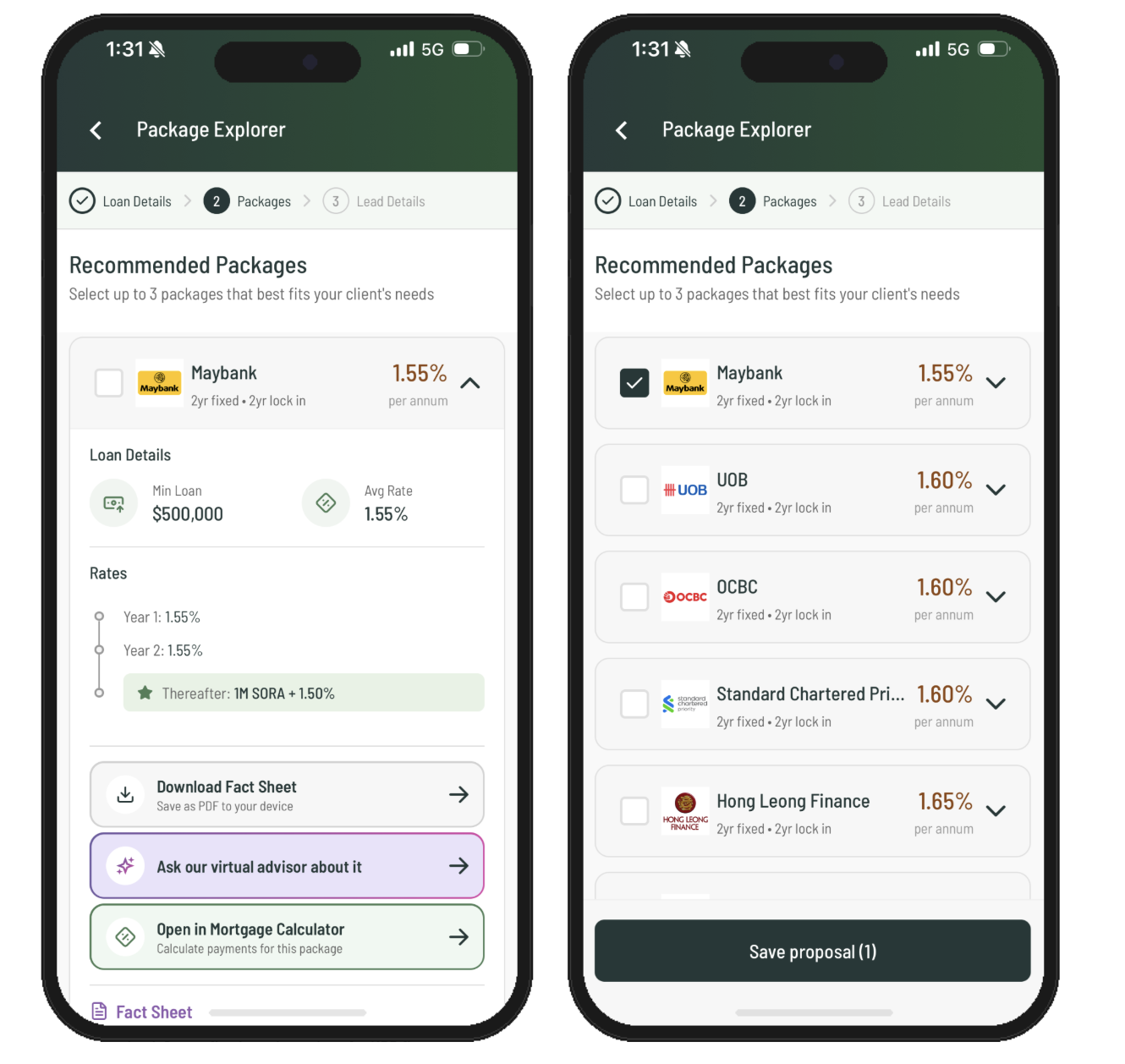
**Image 2: **Click on any package to view the rates, fees, and special terms. You can also download the factsheet, get AI assistance, or use the mortgage calculator. Repeat for all the packages you are interested in, then click save proposal.
Once you've chosen your packages, you'll be prompted to enter your client's name, email address, and phone number. From there, click 'share proposal'. You have two sharing or download options: click ‘Quick Summary’ to send a quick snapshot comparing the selected packages side by side via WhatsApp, or click 'Detailed Proposal' to download a comprehensive version with all the factsheets bundled together.
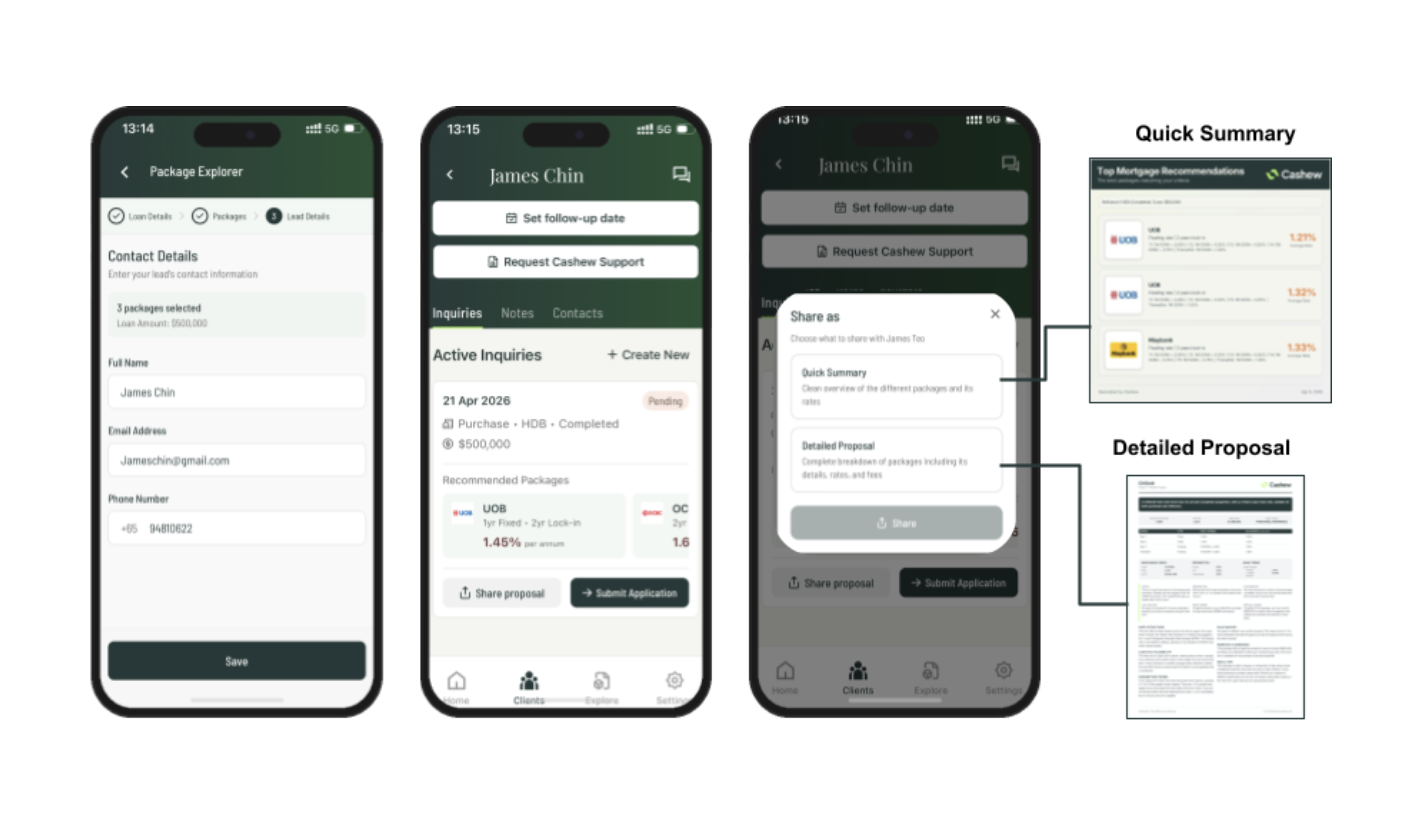
**Image 3: **Save your client's contact details, then select 'Share Proposal.' You can choose to download and share either the Quick Summary with just the rate card, or the Detailed Summary, which includes the full factsheet.
That's all there is to it. In just a few clicks, you can put together a professional, tailored mortgage proposal for any client and position yourself to earn high commission on every mortgage that gets locked in.
© 2026 Cashew. All rights reserved.